3D Laser Scanning: How It Works and Where It Fits
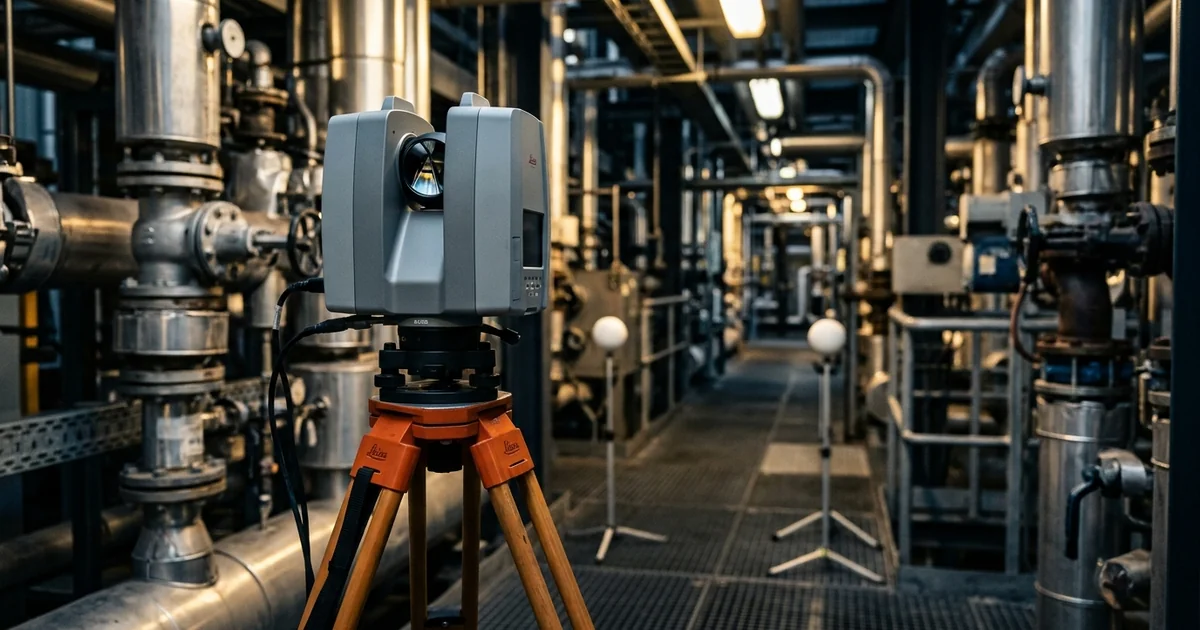
A plant owner planning a revamp opens the drawing set and cannot tell whether the pipe rack still matches it. 3D laser scanning is a survey method that measures distances and angles to surrounding surfaces and records each point as a coordinate, giving a point cloud of the scene. Designing against drawings that no longer match the plant moves the discovery of the mismatch from the desk to the shutdown. This guide covers 3D laser scanning of process plants and buildings, not reverse engineering, and explains how scanners measure, how scans are registered, what accuracy means and where scanning fits. It draws on the US General Services Administration (GSA) guide to 3D imaging, ISO 17123-9 and the ASTM E57 standards. The approach reflects the 3D laser scanning and reality capture work that Global Formulation provides to plant owners.
3D Laser Scanning Explained: What a Scanner Actually Measures
A terrestrial laser scanner is a survey instrument on a tripod that sweeps a laser beam across its surroundings and measures what comes back. For every direction it records a distance and two angles, and from these it calculates a three-dimensional coordinate. One scan from one position produces a point cloud that can hold millions of points. The GSA's building information modelling (BIM) Guide for 3D Imaging (version 1.0, January 2009) says a single scan can consist of millions of data points.
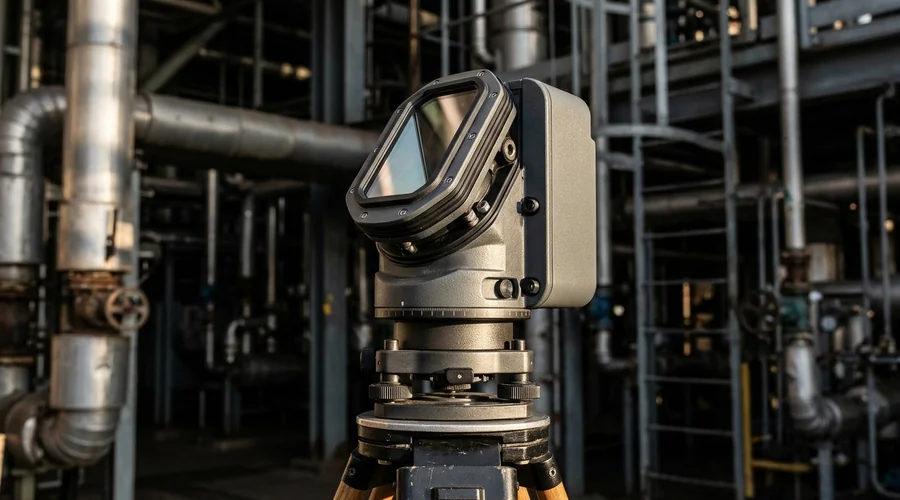
Two measuring principles dominate 3D laser scanning in construction and plant work, and the GSA guide names both. A pulsed time-of-flight scanner times the round trip of a laser pulse to the surface and back, and the distance follows from the speed of light. A phase-based scanner compares the phase of a modulated beam as it leaves and returns. Each point can also carry attributes: the ASTM E2807 exchange format for 3D imaging data stores point positions, colour and intensity values, and two-dimensional photographs taken by the instrument. Four terms recur in every scanning specification.
- Field of view — the horizontal and vertical angles the scanner covers from one position, set by the operator before the scan.
- Point density — the angular increment or the spacing between points at a stated distance, also set before the scan.
- Line of sight — a scanner records only what it can see, so a solid object casts a shadow of missing data behind it.
- Averaging — some instruments measure each point several times and report the average, which reduces noise and lengthens the scan.
These terms drive the duration of a scanning job. The GSA guide notes that acquisition time depends on the size of the region, the field of view, the point density, the accuracy wanted and the instrument. Field of view and point density are fixed in advance, so they belong in the specification rather than being left to the crew on the day.
From Scan Stations to a Registered Dataset: The Workflow
In point cloud laser scanning a single scan shows only one view, so a plant is captured from many positions and the scans are then joined into one dataset. The joining step, called point cloud registration, introduces error that has to be controlled. Planning decides where the instrument stands, and the checks decide whether the result can be trusted. Figure 1 shows the sequence and the check that sends a crew back when it fails.
- Scan planning and control — walk the site, set survey control and place scan positions with overlap, planning around operating equipment, hazardous areas and access limits.
- Scan from several positions — move the instrument so that pipework, equipment and elevated areas are seen from more than one side.
- Register the scans — align them into one coordinate system using targets or cloud-to-cloud matching.
- Check the registration — compare the registration error with the tolerance the deliverable needs, and rescan any weak area.
- Clean and segment — remove noise and unwanted objects, and divide the data by area and system.
- Deliver in agreed formats — use an open format such as E57 where the receiving team needs one.
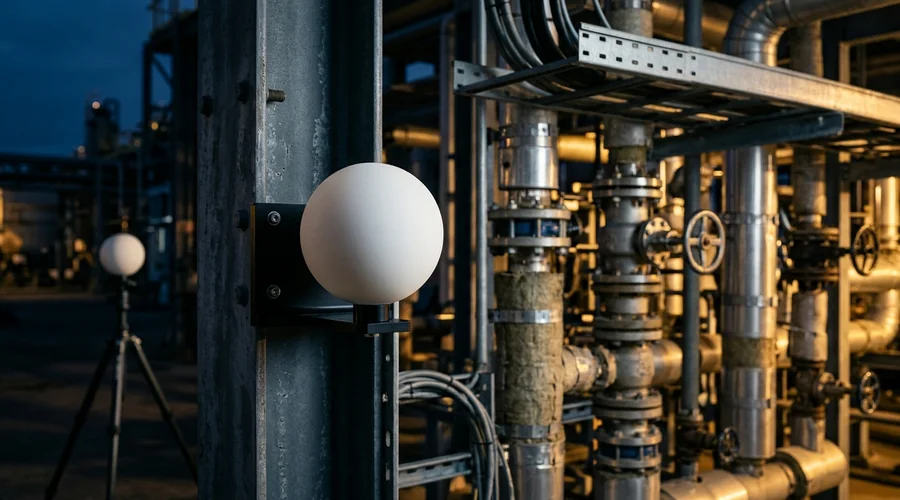
Control points anchor the work. The GSA guide explains that a control point can come from a permanent object such as a benchmark or from temporary targets placed in the scene. A sphere's centre is an inferable point: it cannot be seen but can be calculated from the data. The same guide states that registration introduces error and that error generally grows as the process is repeated, especially along long chains of scans without closure.
Time-of-Flight vs Phase-Based Scanners: Choosing on Range and Speed
The choice between scanner types comes down to the distances involved and the time available on site. The GSA guide gives a general description of the two principles from 2009, when it was written. Instrument ranges and speeds have moved on since, so current figures belong in the manufacturer's datasheet and the provider's calibration record. The table compares the principles on the points that matter to a plant owner.
| Criterion | Pulsed time-of-flight | Phase-based |
|---|---|---|
| Principle | Times the round trip of a laser pulse to the surface and back | Compares the phase of a modulated beam as it leaves and returns |
| Maximum range | Longer; the GSA guide cites ranges beyond a kilometre | Shorter; the GSA guide cites less than 100 m |
| Data acquisition rate | Slower than phase-based | Faster, so more points per minute |
Both principles need a line of sight, so shadows form behind objects whichever is used. 3D laser scanning vs traditional survey is a different comparison. The GSA guide says traditional methods gather data one point at a time. For a process plant with many pipes and objects, it finds a scanner the more viable way to locate them all. It also says scanning is not always the best choice for simple geometries and readily accessible sites. The deciding factors are the required level of detail, the schedule, the safety of the competing method and the number of uses the data will serve.
Accuracy, Precision and Resolution: What to Specify and What to Verify
Accuracy is the number most buyers ask about and the one most often left undefined. A scanner specification, a registered point cloud and a finished model each have their own accuracy, and the figures are not interchangeable. The owner's task is to state what tolerance the deliverable needs and how it will be checked. The standards below give the vocabulary and the verification methods.
| Term or standard | What it covers | How it helps the owner |
|---|---|---|
| Precision (repeatability) | How closely repeated measurements agree | Shows instrument consistency; it does not by itself prove the result is correct |
| Tolerance against truth | The allowed deviation of the deliverable from a value measured by some other means, as the GSA guide defines it | Gives a testable acceptance criterion in the contract |
| Resolution | The spacing of points, or the smallest feature that must be captured | Links point density to the smallest object the deliverable must show |
| ISO 17123-9:2018 | Field procedures for determining and evaluating the precision of terrestrial laser scanners | An on-site check that an instrument suits the task; ISO states it is not an acceptance or performance test |
| ASTM E3125-17(2025) | A test method for point-to-point distance measurement performance of spherical-coordinate 3D imaging systems in the medium range | A basis for comparing the performance of laser-based time-of-flight systems |
| USIBD Level of Accuracy v3.1 | A specification from the U.S. Institute of Building Documentation that separates the measured accuracy of captured data from the represented accuracy of models and drawings | Lets the contract state accuracy separately for the data and for each deliverable |
The GSA guide adds two practical points. Tighter tolerances and higher resolutions increase scan times and costs, so they should be specified where the use needs them and nowhere else. Registration error accumulates, and the guide says this should be considered when tolerances are set. A model also cannot be more accurate than the data it is built from, which is why measured and represented accuracy are stated separately.
Where 3D Laser Scanning Fits in a Process Plant Project
Scanning pays when the existing plant must be known better than the drawings describe it. Revamps, expansions and shutdown-driven tie-ins all depend on the real position of pipework, steel and equipment. A scan turns that position from an assumption into a measurement, so a design can be checked on screen before anyone is on site. The list below sets out the uses that matter most in process plants.
- As-found documentation — a record of pipework, steel, equipment and supports at the scan date, useful where drawings are missing, out of date or unreliable.
- Revamp design and clash checks — new pipework and equipment placed inside the captured plant, with clearances and conflicts resolved on screen.
- Tie-in and shutdown planning — tie-in points identified in the model and pipework prefabricated to measured dimensions, which reduces fit-up changes in the shutdown window.
- Progress and as-installed checks — a comparison of what was built with what was designed.
- Drawing verification — a check of layouts and pipework routing against the plant, which supports studies such as a HAZOP study that rely on drawings matching the plant.
These uses sit inside larger projects, which is why scanning links to project delivery. Turnkey and engineering, procurement and construction (EPC) contracts, described in our guide to the turnkey project, need existing-condition data. That data must be accurate before the owner's requirements and battery limits can be fixed. Our EPC and EPCM project management work uses the same data for estimating and contractor evaluation. Hazard studies and pre-startup reviews, covered by our process safety and thermal hazard assessment service, depend on drawings that match the plant.
What Goes Wrong in a Scanning Project
Scanning projects fail quietly: the dataset arrives, looks impressive and then does not fit the work it was bought for. The causes below sit in planning, registration and specification rather than in the instrument. Each failure below has a project consequence, and each can be prevented by a decision made before the crew arrives. The table lists the common ones.
| What goes wrong | Project consequence | How to prevent it |
|---|---|---|
| Registration errors accumulate along a long chain of scans | Distant parts of the plant do not align, so a tie-in measured across the unit is wrong | Use control points and closure, and state the registration tolerance in the contract |
| Scan shadows behind pipework and equipment | The model has gaps exactly where congestion hides the hardest clashes | Plan stations with overlap, add positions for occluded areas and review coverage before leaving site |
| A point cloud too large to open | The design team cannot use the data and asks for a rescan or a rebuild | Segment the cloud by area and system, and agree file formats and sizes in advance |
| A model that deviates from the scan | Fabricated pipework does not fit at the tie-in | Require a deviation check between model and cloud, and state the tolerance |
| Drawings that do not match the plant after delivery | The deliverable is tied to the scan date, and the plant has changed since | Record the scan date on every drawing and set re-scan triggers for later changes |
| Scanning in operating or classified areas without approvals | Work stops until the approvals are in place | Obtain permits first and use equipment and procedures approved for the area |
| Laser safety not documented | Site staff do not know where the hazard is or how to avoid it | Ask for documentation on whether the system is eye safe, as the GSA guide recommends |
Most of these failures are specification failures. A provider can only meet a tolerance, a format and a coverage target that someone wrote down before the first scan.
Specifying a 3D Laser Scanning Project: An Owner's Checklist
A clear specification protects the owner from buying a dataset that cannot be used. The GSA guide states that clear objectives and a stated use for the data are critical, and the checklist follows that principle. Work through the items in order, because each one constrains the next. The result is a brief that any provider can price and any engineer can check.
- State the purpose — documentation, revamp design, clash checking, shutdown planning or verification, because the purpose sets the detail and tolerance.
- Define the areas and detail — which units, levels and systems, and the smallest feature that must be visible.
- Set the tolerances — separately for the registered data and for each model or drawing, with the method that will verify them.
- Fix the coordinate system and control — the datum the data must tie to and how control points will be established.
- Name the deliverables and formats — registered cloud, segmented areas, models or drawings, and an open format such as E57 where needed.
- Cover safety and access — permits, zone-approved equipment, laser safety documentation and operating windows.
- Agree data ownership and storage — who holds the raw scans and how long, and who can reuse them.
- Plan the update route — how and when the data will be refreshed after plant changes.
On delivery the owner should receive the registered point cloud, the registration and control report, and the segmented area files. The models or drawings should carry their scan dates, with the deviation check between model and cloud. Verify a sample of dimensions against a physical measurement before accepting the work.
Owners planning a revamp, an as-built verification or reality capture for brownfield plants can start from our 3D laser scanning and reality capture service. It covers scan planning and survey control, point cloud registration, scan-to-model deliverables and as-built verification. The checklist above is the brief to bring to that conversation.
Frequently Asked Questions
What is 3D laser scanning?
3D laser scanning is a survey method that measures distances and angles to surrounding surfaces and records each point as a three-dimensional coordinate. A single scan produces a point cloud that can hold millions of points.
Scans from several positions are joined into one dataset of the plant as it stands. Drawings, models and clash checks are then produced from that dataset.
How does 3D laser scanning work?
A scanner on a tripod sweeps a laser across its surroundings and measures a distance and two angles for each direction. The distance comes from timing a laser pulse or from comparing the phase of a modulated beam, and the angles come from the instrument's steering system.
The operator sets the field of view and the point density beforehand. Several scan positions are needed because the instrument records only what it can see.
How accurate is 3D laser scanning?
It depends on the instrument, the range, the registration and the surfaces scanned, so no single figure applies to every project. The accuracy of a point cloud is not the accuracy of a model built from it, and the USIBD framework separates the two as measured and represented accuracy.
State the tolerance in the contract and agree how it will be verified, for example by checking dimensions against an independent measurement. ISO 17123-9 describes field procedures for checking the precision of terrestrial laser scanners.
What is the difference between time-of-flight and phase-based scanners?
A time-of-flight scanner times the round trip of a laser pulse, while a phase-based scanner compares the phase of a modulated beam. The GSA's 2009 guide describes time-of-flight systems as having longer maximum ranges and phase-based systems as having shorter ranges with faster data acquisition.
Both need a line of sight, so both leave shadows behind objects. Current ranges and speeds should be read from the instrument datasheet and the provider's calibration record.
What is a point cloud?
A point cloud is the set of three-dimensional coordinates that a scanner records, often with colour or intensity values attached to each point. It looks like a detailed three-dimensional photograph made of dots, and it can be measured directly.
Engineers use it as it is or convert it into drawings and models. The ASTM E2807 format stores point data, colour and intensity attributes and photographs in one file.
Is 3D laser scanning safe?
Scanners use laser light, and the GSA guide asks the provider for documentation on whether the system is eye safe. Even an eye-safe laser should not be viewed through optical devices such as binoculars, and the hazard should be posted around the site.
In classified areas, equipment and procedures approved for the zone are needed, with permits in place before work starts.
When is 3D laser scanning worth using on a plant?
It is worth using where the plant is complex, congested or poorly documented, where competing methods carry safety risks, or where the data will serve several uses. The GSA guide says scanning is not always the best choice for simple geometries and readily accessible sites.
The test is whether the required level of detail, the schedule and the number of uses justify the cost.
Can you scan an operating plant?
Yes, with planning. Scan positions are planned around operating equipment, hazardous areas and access limits, and permits are obtained before work starts.
The scan records the plant at one date, so later changes need a re-scan or an update process. Agree the re-scan triggers when the project is specified.
What file formats do scan deliverables use?
Scan data is delivered as a registered point cloud and as models or drawings in the formats the design team uses. ASTM E2807 defines the E57 format, an open exchange format that stores point data, colour and intensity attributes and photographs.
Agree the formats and the coordinate system before delivery, so that the data opens in the design environment without rework.
Need a Plant Scanned, Verified or Modelled?
Global Formulation provides 3D laser scanning, point cloud registration, scan-to-model deliverables and as-built verification for plant owners planning revamps and shutdowns.
Discuss a Scanning Project